> For the complete documentation index, see [llms.txt](https://meta-legend.gitbook.io/metalegend-litepaper/llms.txt). Markdown versions of documentation pages are available by appending `.md` to page URLs; this page is available as [Markdown](https://meta-legend.gitbook.io/metalegend-litepaper/how-to-play/ai-mate.md).
# AI Mate
Chatting with your AI Mate
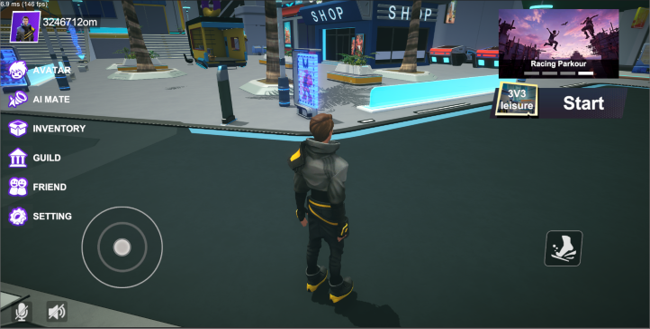
① Click "AI MATE" on the left-hand functionality list to enter the AI Mate page.
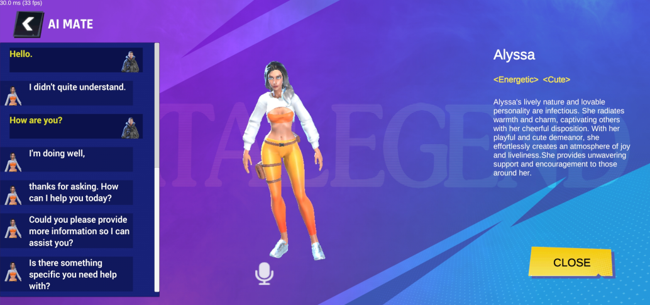
② Hold down the voice input button at the bottom of the interface for voice input; release the button to complete the voice input.
③ The game will convert voice input into text and display it on the left-hand conversation interface. The AI will respond to your questions in both voice and text.
④ Click the "CLOSE" button on the right to exit the conversation.
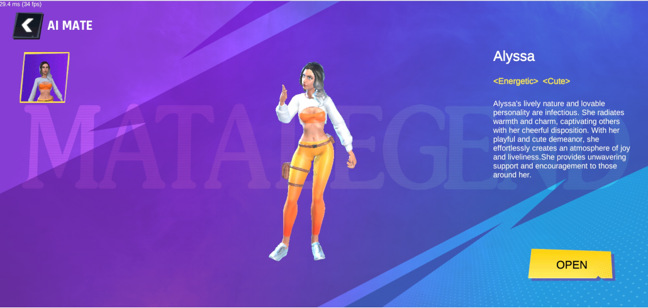
⑤ After exiting, click the "OPEN" button on the right to re-enter the conversation mode.